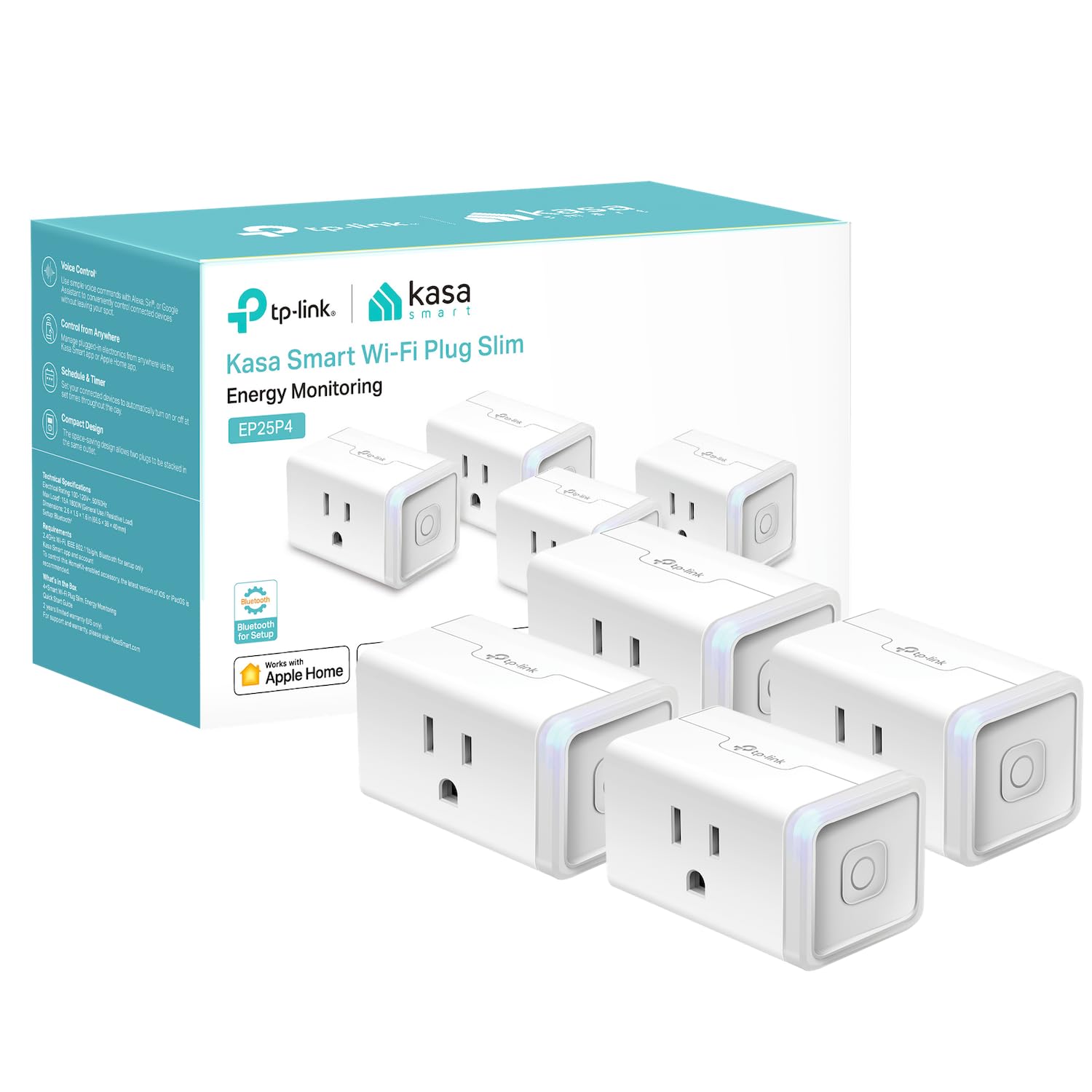
Kasa Smart Plug Mini 15A, Apple HomeKit Supported, Smart Outlet Works with Siri, Alexa & Google Home, UL Certified, App Control, Scheduling, Timer, 2.4G WiFi Only, 4 Count (Pack of 1) (EP25P4), White
$37.99
Related Products




The EP25 is Kasa’s latest Apple HomeKit supported WiFi mini smart plug that supports 15A maximum load, with Energy Monitoring. You can use it to control lamps, fans, humidifiers, and other home electronic appliances while monitoring each device’s energy consumption. You can also control your plugged-in devices with voice control giving you the option of hands-free convenience. Set schedules, timers, all with the convenience of control from virtually anywhere with your phone. The Kasa app provides a robust suite of features to control your device and enables the plug to work in conjunction with other Kasa Smart devices with smart actions. Installation is a breeze with the simple in app directions and you can connect your smart plug with your home Wi-Fi, Apple HomePod, Amazon Alexa or Google Assistant. EP25 plug supports Amazon Frustration-Free Setup (FFS) & Google Seamless Setup (GSS) for an even simpler setup process.
【Apple Homekit Support】This Apple HomeKit compatible smart plug fully integrates into your Apple ecosystem, just ask Siri to turn on/off the devices in your home. (Apple HomeKit remote control requires an additional networked Apple device at home such as an iPad, HomePod or Apple TV.)
【Energy Monitoring & 15A Max Load】Use the smart Wi-Fi home plug to monitor your connected device’s energy usage in real-time and view its historical power consumption within the Kasa Smart app. 1800W, 15A max load supported.
【Super Easy Setup】Enjoy an extremely easy and quick setup process with this Amazon Frustration-Free Setup (FFS) & Google Seamless Setup (GSS) supported smart plug. You can also setup in a few steps with the Kasa App.
【Compact & Flame Retardant Design】Avoid blocking additional outlets with its compact design, and plug in your WiFi smart plug with confidence thanks to its UL certified flame retardant design and 2-year limited warranty.
【App & Voice Control】Control your WiFi smart plug from anywhere, anytime via the free Kasa App or just give voice commands to Siri, Amazon Alexa, Google Assistant or Samsung SmartThings. Your favorite smart assistant enables you to have a truly hands-free experience. Operating Humidity: 5%~90% RH, Non-condensing
System Requirement: Android 5.0 or higher, iOS 10 or higher
9 reviews for Kasa Smart Plug Mini 15A, Apple HomeKit Supported, Smart Outlet Works with Siri, Alexa & Google Home, UL Certified, App Control, Scheduling, Timer, 2.4G WiFi Only, 4 Count (Pack of 1) (EP25P4), White
Add a review
$37.99
Dottie Evans –
If the HomeKit plugs keep disconnecting or say ‘Out of Reach’ it’s probably because…
…you don’t have a proper HomeKit Hub. I learned this the hard way. My entire home is full of apple devices (including the original AppleTV 4K) so I thought I was ready for HomeKit integrations — but No. Apparently, if you don’t have a proper hub (like the newer HomePod or HomePod mini), then these plugs will slowly disconnect and be unreachable shortly after setup. So! If you’re in the same boat as me, here’s a workaround to BYPASS the initial HomeKit setup (so you can connect only to Google Home or Alexa) that I discovered:1) Open the Kasa App and click, Add Device2) When it asks you which kind *DONT* pick the HomeKit plugs – instead pick ‘Smart Plug Lite / Mini’.Then, before following the prompts – hold down the power button on the side for 20 seconds or so until you hear a prominent click – this means the plug has been restored to it’s original factory settings3) Now follow the prompt to plug it in, hit Next and when it asks if its flashing orange and blue – you actually need to hold down the power button again for about 10 seconds until it’s flashing between those colors QUICKLY.4) Hit next and it’ll ask you to connect to the plugs internal network via Wifi – do do this easily on iPhone, swipe down diagonally from the top right of the screen to access control center, long press on the WiFi button, and when the list of available networks pops up – pick the TP Link one. Now back out back to the Kasa app and it’ll ask for your WiFi network. Connect it to your 2.4ghz network (not 5ghz). it’ll take a second here to set everything up and then it eventually asks you to name the device.5) Once you’re done, make sure to open the Kasa app settings, go to ‘Settings’ and go to ‘Firmware Update’ and make sure your plugs are up-to-date.That’s it! Now if you look at the device info, all the information is correct – it shows the right plug (EP25 is the HomeKit model) – and you’ll notice there’s a ‘Add To Home’ button available to you. This means, down the road whenever you are ready – you can still fully integrate these into Apple HomeKit. For now though, all the plugs work reliably through Google or Alexa.
Butch J –
Rock-Solid Smart Plug I Keep Coming Back To
I’ve purchased this Kasa smart plug many times, which says a lot about how dependable it’s been for me. Unlike some other brands I’ve tried, these don’t lose their configuration after a power outage, which has been a huge relief in a smart home setup. Setup in the Kasa app is quick and painless, and other smart home platforms recognize them easily without extra work. They’ve been very reliable day to day, and the Kasa service itself has been consistent for me. My only real frustration is that once you have a lot of them, it can be hard to quickly identify which physical plug matches which name in Alexa or other apps. Even with that minor issue, they’re still the smart plugs I trust and keep buying..What you may care about:• Reliability after power outages (Meets)• Works with multiple smart home platforms (Meets)• Simple setup process (Meets)• Easy to identify individual plugs when you own many (Does Not Meet)• Long-term reliability and repeat-use confidence (Meets)
jamal –
Work on Apple !
A great accessory, a little bulky maybe. But works well and pairs to Home. I use with eas on my HomePod and cell. Can be controlled from everywhere. Sometimes a little difficult for initial programing toHome
Robert Scott –
HomeKit-Compatible in Name Only – Frustrating, Inconsistent, and Not Worth the Trouble
I bought the TP-Link Kasa EP25 smart plugs specifically because they are advertised as HomeKit-compatible and support energy monitoring. I expected a seamless Apple Home experience, but what I got instead was an ongoing exercise in frustration.Let me start by saying: I’m not new to smart home setups. I have a fully functional Apple HomeKit environment where other devices (sensors, lights, locks) connect and perform flawlessly. Unfortunately, the EP25 plugs don’t live up to the promise of “Works with Apple HomeKit.”Setup NightmareThe setup process is clunky and unreliable. You’re required to install the Kasa app, scan a HomeKit QR code, and hope it pairs. Most of the time, it fails with generic messages like “Accessory Not Found” or “Unable to Add.” I followed all TP-Link’s instructions—resetting the plug, updating firmware, rebooting my iPhone, toggling Wi-Fi, etc. Still no luck. I managed to get one plug to work temporarily, but what about the others? Total failures.There’s even a bizarre workaround suggested online: leave the plug plugged in for 10+ minutes until it exits HomeKit pairing mode so you can bypass HomeKit and just use the Kasa app. That’s how broken this setup is.”No Response” Errors DailyThe one plug that did connect to Apple Home worked fine for a day or two… then began showing “No Response” in the Home app every morning. I’d have to unplug it and plug it back in just to control it again. Meanwhile, it still showed up fine in the Kasa app. So clearly, the problem is in how the plug communicates with HomeKit, not my network or Wi-Fi.From reading other reviews and forum threads, this is not an isolated issue. It’s a widespread, long-standing flaw in how TP-Link integrates with HomeKit. There are mentions of firmware updates making things worse, not better. TP-Link’s advice mostly boils down to “reset everything and try again.”Misleading FeaturesDon’t be fooled by “energy monitoring” on the box; Apple Home can’t display energy usage. That only works in the Kasa app. So if you bought this expecting to track power consumption through HomeKit, you’ll be disappointed.Also worth noting: You must install and keep using the Kasa app (and create an account) for firmware updates or advanced settings, even if you only plan to use HomeKit. If you’re trying to avoid third-party apps or account creation, this isn’t the plug for you.Bottom LineThe EP25 is an unreliable mess for HomeKit users. Setup is frustrating, daily disconnections are maddening, and the energy features don’t work with Apple Home. I’ve returned the non-working units and will likely return the one that did “work” too, because I can’t trust it.If you’re building a HomeKit ecosystem, do yourself a favor and skip this plug. Look for options that use Thread or Matter. They’re far more stable and reliable. Until TP-Link fixes its HomeKit implementation (or Apple drops certification), this product is little more than a paperweight with a blinking LED.
LUCRECIA PÉREZ ECHAZABAL –
Excelente
Cliente de Amazon –
Es mejor comprar las extensiones por calidad y precio que los pequeños individuales. Ya que los pequeños seguido se desconfiguran y no vuelven a prender por alguna razón que desconozco y hay que desconectarlos y volverlos a conectar.
Alejandro C –
Funcionan muy bien con apple home, los controlo sin problemas desde mi iphone 12 o mi home pod mini
Jesus Salazar –
Me gustó mucho la versatilidad del enchufe, ya que puedes usar con cualquier dispositivo inteligente, muy recomendables.
BEATRIZ SUAREZ –
Te deja agregarlo a la app pero sal no responde cada vez que trato de utilizarla